Saturday, 18 January 2014

A fifth mode on your DSLR?

We're all familiar with the usual four modes on our digital cameras: program, aperture priority, shutter priority and manual. Different manufacturers use slight different terms, but that's what they mean. Of course, some cameras also have "helping" modes like landscape, portrait and so on.

I do most of my shooting in aperture priority. I want to control depth of field, and to a large extent, that involves controlling the aperture. And usually, I'm happy for the Nikon to work out what what shutter speed works.

Not a great shot - but sharp and correctly exposed.
Recently, I was trying to photograph a baby bird in a tree in my yard. It was tricky because I was using a
long lens (so a highish shutter speed was needed), but I also wanted a reasonable depth of field, since focussing was occasionally tricky.  So - I needed a smaller aperture.

This sounded like a job for manual exposure!

But to add to my problems, I was moving around, so as the angle to the sun varied, so did the amount of light hitting the camera. Manual was becoming ... inconvenient.

Then it occurred to me that I had another option: I switched ISO to auto, and let the camera work it out while I stuck with my preferred aperture and shutter speed.

It worked! As the light varied, I still had my preferred aperture (hence depth of field), and camera shake was minimised with a fairly high shutter speed - and the camera changed its sensitivity to ensure it got the right exposure.

So, I reckon we have now five modes on our DSLRs now: program, aperture priority, shutter priority, manual - and "semi-manual".

Try it next time you're in a demanding situation. It just might help.

Shane Baker
Canberra

Sunday, 5 January 2014

Arranging keywords in Lightroom - a quick tip

If you're like me, your keywords in Lightroom are in a mess.

For instance, I have a "France" keyword. Then, under that, I have some France keywords under "France", while others are at the top level in the hierarchy. Not good - especially if your keywords are in the hundreds or more.

Of course, you can just drag and drop: drag "Amiens" over "France" and LR will move Amiens into the France hierarchy.


But what if you want to drag "Aardvark" under Zoo? That's no so easy if you have more than 40 or so keywords.

I've finally come up with a solution.

Let's say you have the keyword "Black Swan" and you want it under "Native bird".


In the search field under Keyword List, type "swan, native". LR (bless its heart) then lists all keywords containing "swan" and "native" - and no others. You can now simply drag and drop "Black Swan" under "Native bird".

It's not a quick process, but it's do-able!

I'm acutely aware that many/most readers will be quietly muttering something to the effect that everyone knows this. Either that - or why didn't this idiot arrange his keywords correctly in the first place?

Good points - but I'm sure a few people out there have painted themselves into the same corner that I've managed to do. Now I have a solution!

Guess what I'm doing for the next hour?

Have a good one.

Shane
Canberra

PS: As soon as I'd hit publish, I stumbled across an excellent article by Scot Bastion entitled A further look at Keywords within Lightroom.

I think my technique still has its place, but I strongly suggest you read Scot's article before using the Baker Method!

S


Saturday, 4 January 2014

On the value of photographs (again)

I know I've written about this before (and probably will again), but we must never underestimate the value of our photographs.

Most people do - and I think this is why they don't preserve them.

It's long been my view that any photograph can have value, for any or all of the following reasons:
  • it's a great photograph - well exposed, composed, etc. Photographs by Ansel Adams or Josef Karsh are classic examples; or
  • it's a photograph made in time - of an event or thing that's no-longer there. This could be a news event, or an image of a landscape or cityscape; or
  • it's of value to you. Photographs of kids or a beloved relative fit this category.

And I must stress, an image can have one, two or even all three of these attributes. 

I recently spent a day in Sydney, and I went to two exhibitions featuring photographs. One was the exhibition of David Moore's photographs of the Sydney Opera House under construction.

Moore was a genuinely great photographer, who was able to turn his hand to pretty much any genre. And his work ticked at least two of those boxes above.

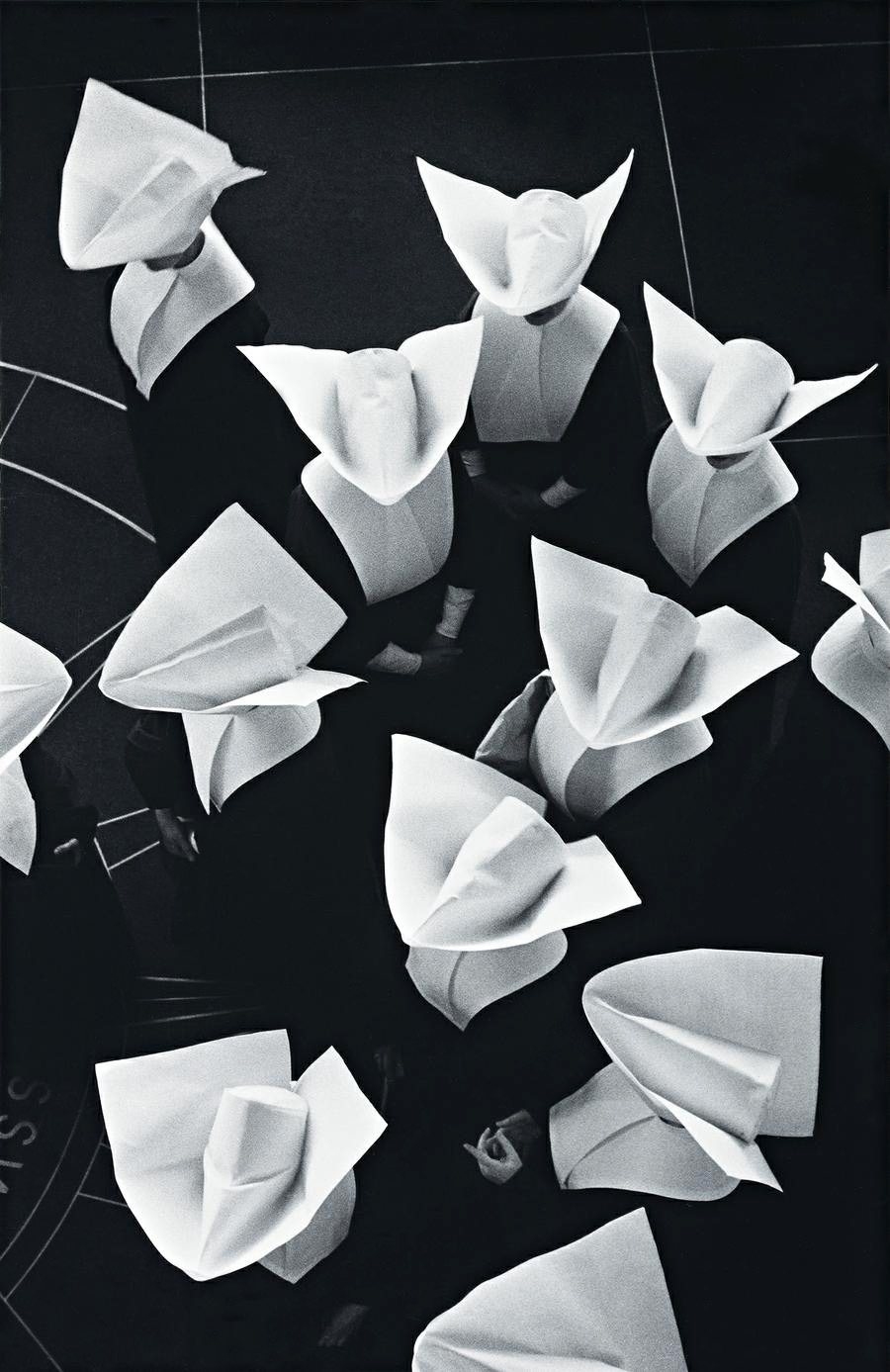
Sisters of Charity Washington


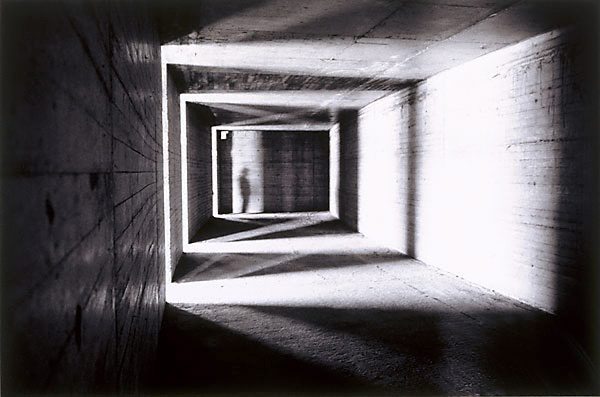
Moore was brilliant at what I would broadly describe as "industrial photography". He could find art in pretty uninspiring opportunities:

Sydney Opera House under construction 2

Yes, he had time and yes he had access - but the images he produced are wonderful.


Sydney Opera House steel reinforcing – c.1962

These photographs are important for a number of reasons including that they are beautiful in their own right, they record the creation of one of the iconic buildings of the world, and because they record a moment in time. 

For instance: the exhibition has images of the men on the construction site balanced precariously on huge assemblies of steel and concrete as they're lifted into place. They're wearing hard hats, shorts and tee shirts - and some at least have safety boots. No doubt, at the time this was normal practice. However these days, I expect (and hope) that there would be a greater focus on safety!


And look what else is in the image: the 1962 Sydney skyline, a ship tied up at the passenger terminal, The Rocks - and the old ferry.

Important stuff - and worth recording!

The other exhibition is Suburban Noir at the Sydney Museum. This is a commentated slide show of forensic photography. Yup - photographs taken by the Police at various scenes covering theft, accidents, murder and suicide. And I was mesmerised!

No, it wasn't the gore (of which there wasn't much, by the way). Neither was it the photographs. They were workmanlike shots, but made for coroners and courts - not for exhibition.

The fascination was the recording of a place that's gone forever: Sydney in the 1940s, 50s and 60s.

It's a place that's as exotic as any third world country today - and unlike Nepal or Amazonia, it's not on any airline's route map. It's gone forever - except in these images - and many others surviving in photo albums around Australia.

So - treat your photographs with respect. They are a repository of people, places, things and events that will one day be gone - except in your preserved images.

Have a happy and productive 2014.

Shane Baker


Friday, 20 December 2013

My wife's making some good photographs - and we have proof

In the past, my wife has:

a. listened to me as I banged on about the technology and aesthetics of photography; and

b. taken the line that she just took snaps - leaving the photography to me.

However, in the past few months, she's started using a Fuji X10, and is getting some very good results. She's applying what she knows started to pay attention to her own photography and apply what she knows. She's .

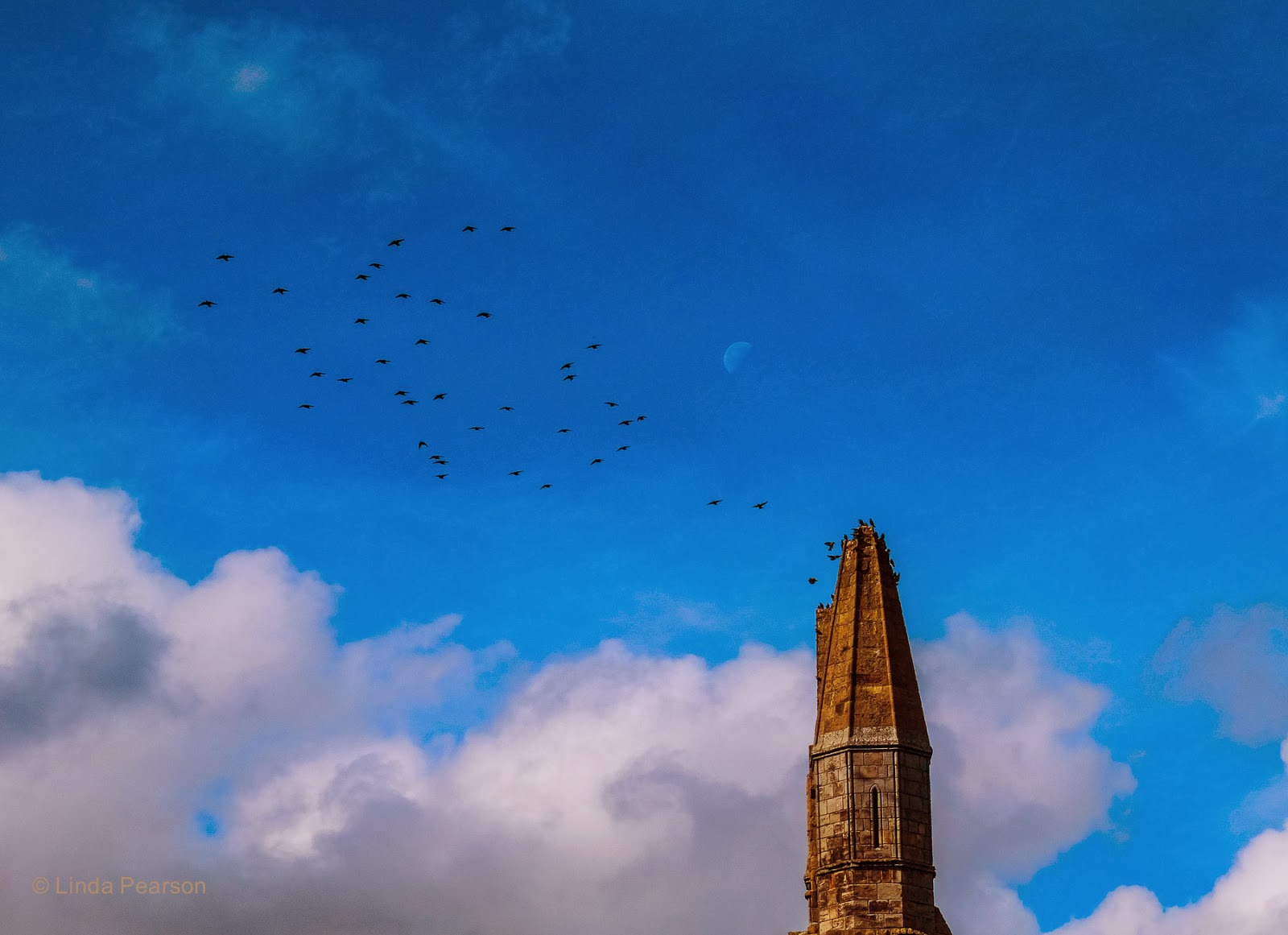
F'rinstance, she got this shot at Whitby Abbey in Yorkshire - which I conspicuously failed to capture:

Birds and the moon over Whitby Abbey.

And I like this one (of me) from our recent trip to Britain.

Shane at Hampton Court

Nice shots, huh?

Not just snaps, but well-composed photographs!

But it's not just my opinion. A few days back, she experienced that comment that each of us who make photographs, rather than take snaps eventually receive. A colleague commenting on her photography said

 ... you must have a really good camera!

Yep!  Linda's a photographer now!

Season's greetings, everyone.

Shane

Thursday, 19 December 2013

Rubbish on my drive

I think I started digging around in my Lightroom catalogue because I'd decided to make myself a "best of" photo book. (I did, by the way - and I thoroughly recommend it to any keen photographer. It was such a buzz to see the book.)

Anyway ... I started with star ratings, and then rediscovered that I'd never had a really consistent way of rating my work. In fact, most of my images have no rating whatsoever, meaning I would be thrown back on that least reliable device in my arsenal: my memory.

Argh!

So started trawling through my images - and found in incredible amount of rubbish. Three, four or more copies of the same image in various formats and sizes; most of which is the legacy of my pre-Lightroom days

BLR (before Lightroom), I'd load my raw file onto my computer and open it in Photoshop. Then I'd tweak it a bit and because I wanted my "negative" file for the future, I'd save it as a TIF. TIFs have the advantage that they aren't lossey - but they're big.

I did an experiment, to demonstrate file sizes - based on a file from my 16.3 Meg Fuji X100s:


A 34 Meg raw file becomes a 64 Meg TIF to protect the data after processing - or I could have saved it as a .PSD file to allow for more processing, which would be the same size. Alternately, I can save space with a JPEG or one quality or another - but only by throwing away much of my data. Oddly enough, the smallest non-lossy format was Adobe's DNG format. Maybe there's a lesson in that.

But the point is that I did this for several years: creating TIF and JPEG versions of files - often with a smaller "web" version of the JPEG - and cluttering up my drives, and thoroughly confusing myself in the process.

Then Lightroom appeared - and I saw it was good.

Now, my workflow is to load the image files onto my computer using LR - which places it in my catalogue. I then always (and for once, "always" means always) keyword the images, and can process them.

Processing in this case means making adjustments which are stored by LR with my raw file at a cost of around 10k per file. The raw file remains pristine, and I can make virtual versions of any image, which allows me to have multiple versions of my images - at a cost of about 10k per version.

And because all these files are key worded - as well as having all their metadata - I can find a particular image in moments.

Yes, I'm a fan of LR and no, I don't get a spotter's fee from Adobe. In fact, due to their introducing their ridiculous subscription model for most of their products, Adobe's off my Christmas card list this year - but Lightroom is a great product.

As for my back catalogue, I find that 84% of the 29,500 images in LR have no rating - and most of the rest are rated in an idiosyncratic manner (to say the least!). So, if I rate 100 a day, say six days a week ... that will only take 11 months to complete.

What I really need is a 100% reliable script which will rate my images for me.

Christmas is coming up, so if Father Christmas and the Birthday Fairy work together, maybe I can have my wish.

Or ... I can suck it up and just do it ...

Season's greetings!

Shane


Wednesday, 11 December 2013

Oil on my sensor - my D800 sensor

Let me tell you a tale ...

I went out for a quick shoot earlier in the week. (You will not see any of these images as they were sharp, perfectly exposed, incredibly boring images. (But I digress.)

When I loaded them into Lightroom, I saw this stuff in the sky:


Weird, huh?

It had to be dust, so I tried blowing it away with my trusty rocket blower and did a test exposure (an f/20 shot of a blue sky). Nope, still there!

So I went to my Plan B: using a specialised electrostatically-charged brush which in the past, removed all but the most stuck-on muck. The streaks were made worse!

So I had to resort to Plan C: wet cleaning using some preprepared sensor swabs that I just happened to have ordered a few days previously. They just seemed to move the mess around.

I was stumped. It wasn't behaving like any dust, or any fibres I'd seen before (which in retrospect should have been a clue!) - so I fired up Google.

After quite a bit of trawling, I found a (very) few posts about oil on D800 sensors! Argh!! We've all heard about the problems with oil on the D600, but on an 800? This is a pro camera!!

The problem was that oil, wherever it had come from, made sense. The "smears" could have been a fluid. It also explained why the blower did nothing, a swipe with a swab didn't do much, and the brush made it worse. However, it didn't explain why a high-end, made in Japan Nikon had oil on its sensor.

So, I began by visiting  my local pharmacy and asking them for a high purity solvent. They sold me a tiny bottle of 99% pure isopropyl alcohol, which I was tempted to use on the sensor, but which I only used the wash my electrostatic brush.

After the brush dried, I used another swab on the sensor. The sensor looked better, but not great. So I used the brush - which actually improved the situation! The isopropyl alcohol had done the trick and the brush wasn't moving oil around.

With a few bits still on the sensor, I used the blower - and the sensor is now almost perfect. Good enough at least that hopefully, the camera's cleaning mode will shake off the last bits. If not, I can handle it in post.

I'm not thrilled - but at least I can use my camera.

It will be interesting to see what Nikon says about this.

Shane
in Canberra

Saturday, 7 December 2013

On using the Nikon D800

It's been a while, hasn't it? This was supposed to be a fortnightly (or thereabouts) blog, but I've never achieved anything like that.

I have no excuses - so to the kind or bored souls who read my ramblings: my apologies.

Nearly a year ago, I bought a Nikon D800. It's a superb camera, but it does have its drawbacks. Firstly, in a world hankering for small and light, it's neither.

This doesn't mean that it can't be used for street photography, though!
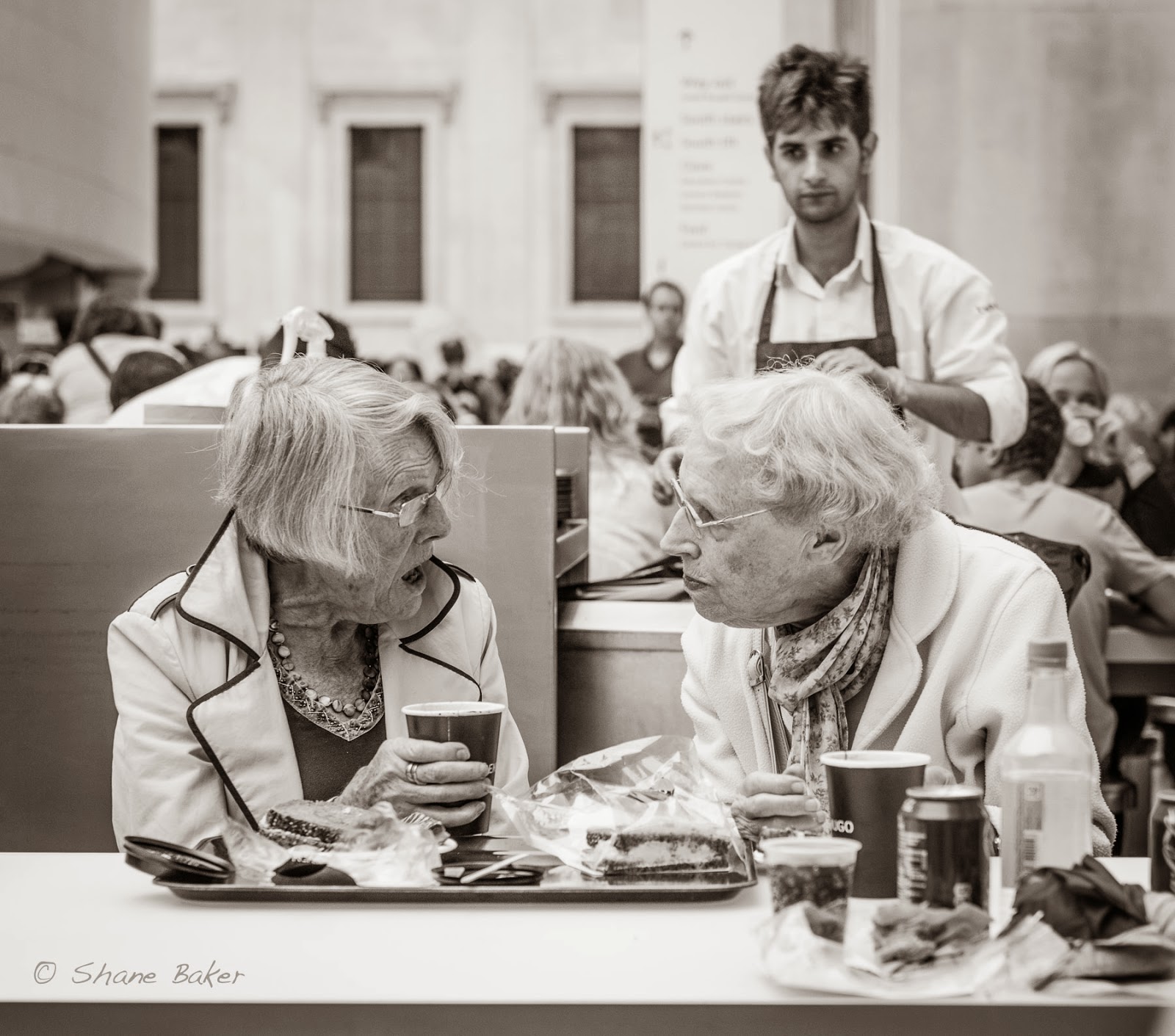
At the British Museum

But I digress.

Also, due to its staggering 36 M sensor, it's a camera which doesn't tolerate errors. Unless my focus is pin sharp, images from it are almost useless.

This creates problems. Due to it being full frame, the depth of field compared with my old and much-beloved crop frame D300 is very shallow. This means I need small apertures / high f-numbers for anything that isn't stationary - which can be a problem as, unless I'm using a tripod, I need a high enough shutter speed to avoid camera shake.

Of course, sometimes a tripod isn't an option. This is the result of a 30 second exposure:
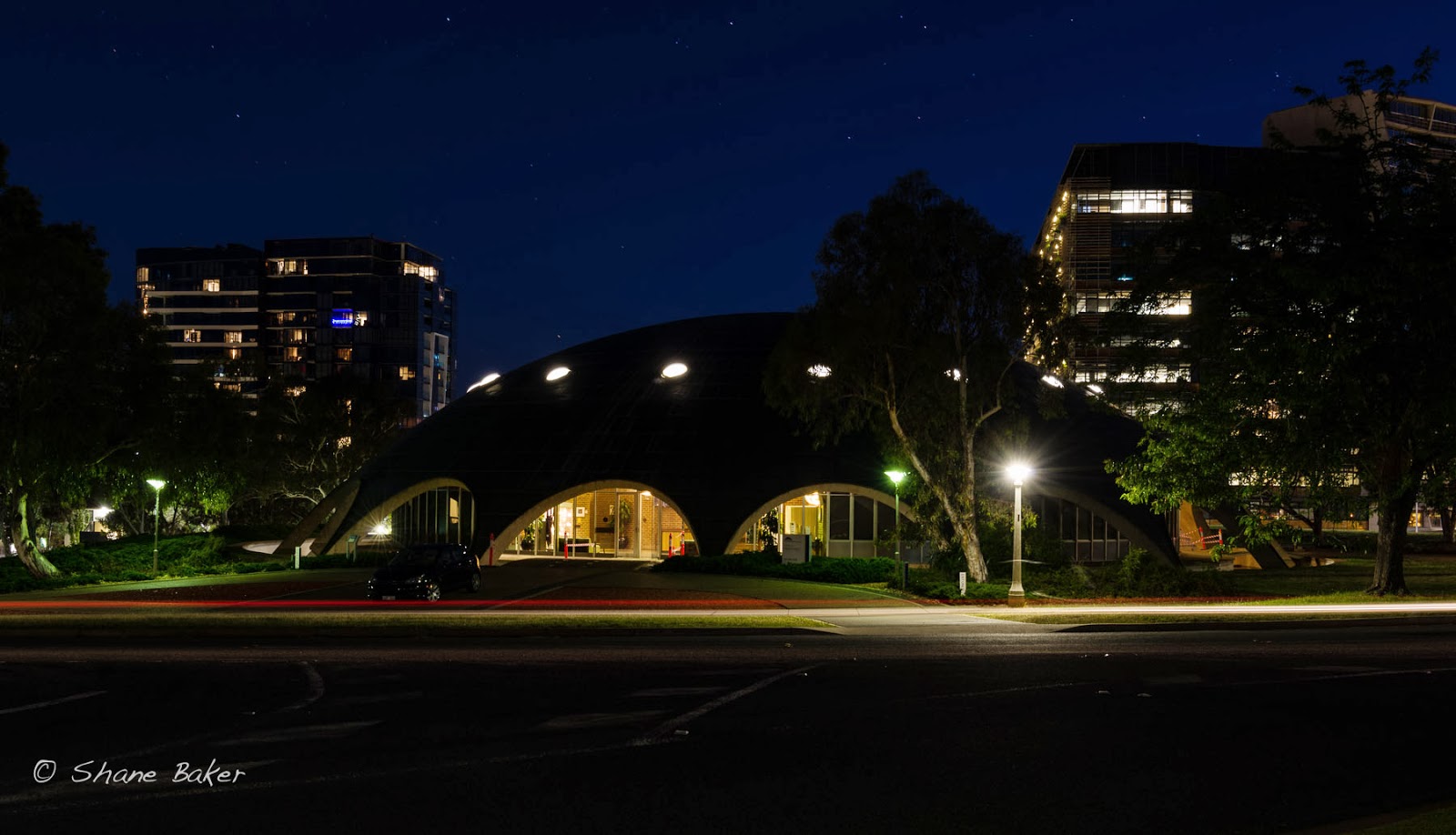
Shine Dome, Canberra


I've got to say that I'm in awe of modern digital cameras. Look at the contrast ratio in that shot and the colour balance. Somehow, the D800 has handled at least five different light sources and still produced a great image.

The red streak is the tail lights of a passing car. It also left a "ghost" of its roof near under the street light on the right!

Anyway - the bottom line is that every photographer needs a tripod - and a good tripod at that. I'd suggest that you go for a ball head. Just make sure it can handle the weight of any camera-lens combination you're likely to use in the future.

The other result of going full frame is the loss of focal length. Using a crop frame sensor means that the focal length of every lens is effectively changed. On a Nikon APS-C camera such as the D300, my 70-200 is effectively a 105 - 300, which is handy when trying to photograph birds. (It's not so good when going wide. My 14 - 24 was a 21 - 36 on the D300.)

Anyway ... I decided to get myself a teleconverter to try to get some "reach". I bought the Nikon x1.7 unit, which as you would expect, increases the focal length of a lens by a factor of 1.7, at a cost of losing 1.5 f-stops.

So far, I'm happy with the results. This little chap was up in a small tree and using my 70 - 200 would
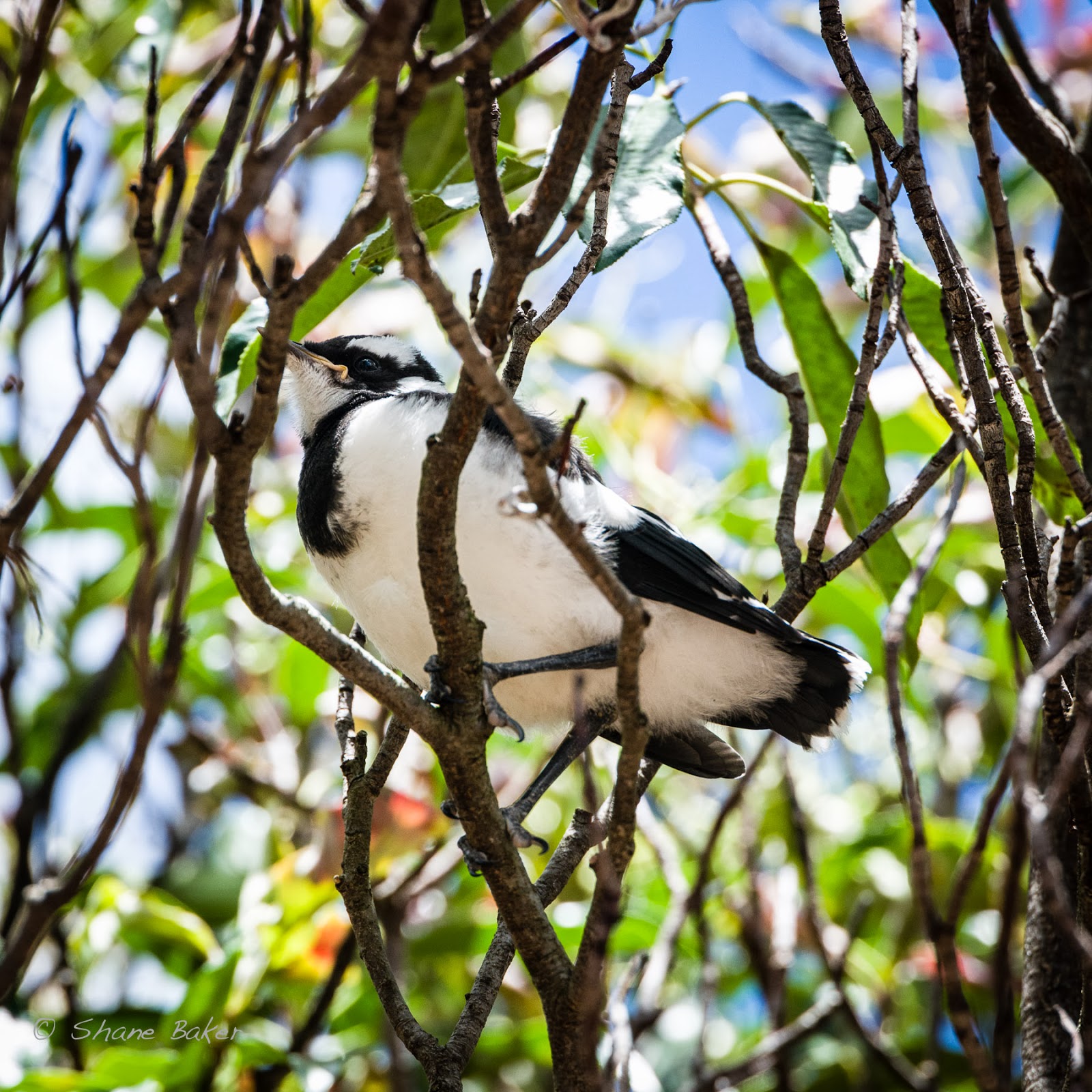
Baby magpie lark
have meant either a tiny image, or the need for me to crop very hard indeed. Using my lens effectively as a 340mm telephoto,  got what is for me, an effective image.

The loss of speed due to the teleconverter isn't an issue, as I have to stop the lens down to achieve a good depth of field.

I actually worked "semi-manually" with this. I had the camera on auto ISO and manual. I selected the appropriate aperture, went for a high, 1/500 sec shutter speed and dialled in centre-weighted metering. The Nikon did the rest.

I'm no bird photographer - so I'm happy with the result.


Keep making those photographs!

Shane Baker
Canberra